Steam sewing controls
The full-game sewing screenshot displays separate controls for stitching, rotation and speed. These are the displayed keyboard defaults.
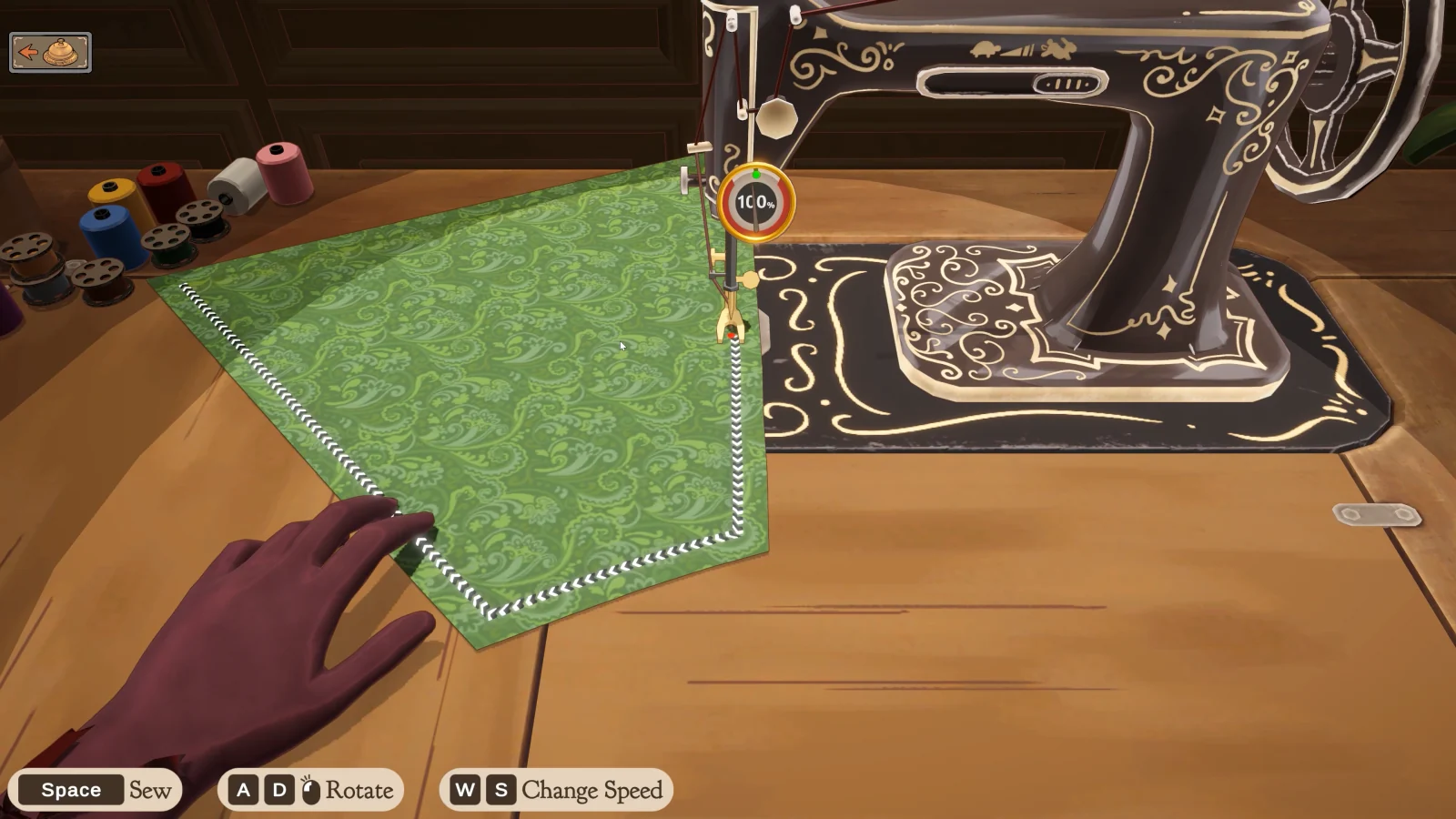
Space
Sew.
A / D
Rotate the fabric.
W / S
Change sewing speed.
Keep the seam under control
Align the fabric before starting. Practise following a short section of the seam, and make gradual corrections when the direction changes.
Common sewing checks
If a seam keeps drifting, review the setup as well as your movement.
Wrong pieces
Return to the assembly preview and confirm that the intended panels are joined.
Losing the guide
Re-centre on the visible seam guide before continuing. Use a manageable pace where the build allows it.
Unexpected quality
Review the cutting and fabric choices too. Sewing is only one stage of making the garment.
Sewing Assist and assembly controls
The player guide recommends Sewing Assist in Settings for automatic fabric movement. Slow or stop at corners. On the mannequin, WASD pans and the wheel rotates; Shift duplicates accessories. If unsewing is blocked, check attached pins or pieces.